USPS Tracking Not Updating: What It Means and What to Do Next
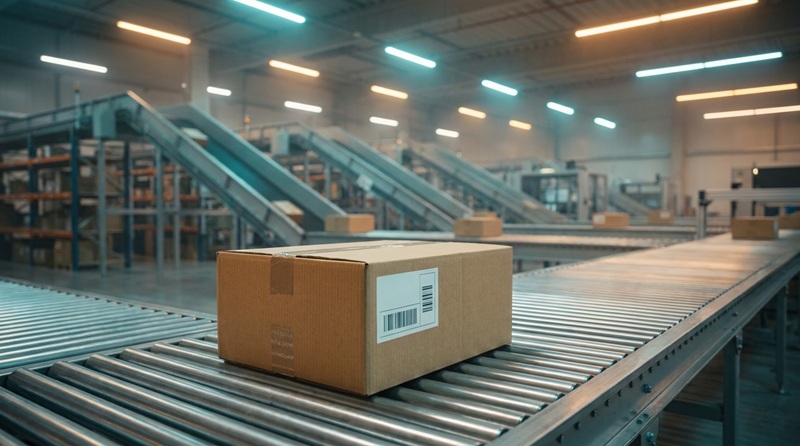
A USPS tracking status that stops updating usually means your parcel is between transit scan points, held up at a major distribution center, or moving through sorting equipment without a manual barcode check. It does not automatically mean your package is lost. Most domestic shipments resume movement within two to four business days.
If your package status has remained unchanged for more than five business days on standard domestic mail, or more than seven days on international shipments, it is time to take practical action. You can monitor your shipment directly across all distribution checkpoints using the TrackPkgs USPS tracking tool to verify whether newer checkpoint events exist.
What a Stalled USPS Tracking Status Actually Means
USPS tracking relies on physical checkpoints along a shipment's route. Barcodes on parcels are scanned at acceptance, sorting, regional departures, arrival at local destination facilities, and final out-for-delivery stages. If your status has not changed, the parcel has simply not received a new physical scan event.
The United States Postal Service operates a hub-and-spoke logistics network. During the long transit legs between regional facilities—such as overland truck travel across multiple states—packages do not receive updates. A package listed as "In Transit to Next Facility" is often moving normally inside a sealed container truck, and no scan will register until that trailer arrives at the destination sorting plant and workers unload the bins.
Common Reasons USPS Tracking Stops Updating
Tracking freezes happen for several distinct operational reasons. Understanding these points helps determine whether your parcel is delayed by normal logistics or facing an actual problem.
1. Missed Barcode Scans Along the Route
High parcel volumes at regional Network Distribution Centers (NDCs) and Processing and Distribution Centers (P&DCs) occasionally lead to skipped non-critical scans. If a shipping label is creased, smudged, lightly printed, or partially covered, automated high-speed sorting machines may fail to read the barcode. In such cases, the package continues moving physically through the network, but the system records no electronic update until a postal worker manually keys in or scans the label at your local delivery unit.
2. Long-Distance Transit Between Processing Centers
When a parcel travels across the country by surface transport, transit between hubs can take 48 to 72 hours with zero intermediate scans. During this window, automated tracking software frequently generates repetitive notices such as "Moving Through Network" or "In Transit, Arriving Late" without identifying a new physical location.
3. Severe Weather and Facility Bottlenecks
Blizzards, hurricanes, severe flooding, and regional infrastructure disruptions halt transport trucks and divert air cargo. During severe weather events, sorting facilities experience rolling backlogs. Trailers full of mail sit in facility staging yards awaiting dock access, leaving tracking scans untouched until processing resumes.
4. Carrier Hand-Offs and Third-Party Consolidators
Many online merchants ship via hybrid logistics services, such as UPS SurePost or FedEx Ground Economy (formerly SmartPost). In these setups, a private carrier handles long-haul transit and transfers the package to USPS for final-mile delivery. The tracking status often goes silent for 24 to 48 hours during this intermediate hand-off before USPS registers an initial acceptance scan.
5. International Customs Holds
If your shipment originates outside the country or is bound abroad, processing through international exchange offices involves border security. Parcels waiting for clearance through U.S. Customs and Border Protection or foreign customs bureaus do not receive USPS scans while under customs inspection, a process that can take anywhere from a few days to several weeks.
How to Check Tracking Correctly
Make sure you evaluate the most comprehensive tracking log available. Automated merchant shipping alerts often display delayed or simplified notices that omit detailed scan entries.
- Verify the full tracking number directly inside an all-carrier tracker like TrackPkgs.com or the official USPS official website to see timestamped event history.
- Check the service level attached to the tracking number. Economical options like USPS Media Mail or Ground Advantage take longer to reach destination hubs than Priority Mail.
- Examine the last recorded physical scan location. If the package reached your local ZIP code or city, delivery is imminent; if it is at an outbound regional distribution center, the parcel is still in long-haul transit.
Wait Times by USPS Mail Class
Different USPS mail services follow distinct routing schedules and priority handling rules. Use the following baseline table to decide when a lack of tracking updates represents a true problem versus standard transit timing.
| Mail Class | Expected Delivery Window | Normal Time Between Scans | When to Start an Inquiry |
|---|---|---|---|
| Priority Mail Express | 1–2 business days (guaranteed) | 12–24 hours | After guaranteed delivery time passes |
| Priority Mail | 1–3 business days | 24–48 hours | 5 business days with no scan |
| USPS Ground Advantage | 2–5 business days | 48–72 hours | 7 business days with no scan |
| Media Mail | 2–8 business days | 3–5 days | 10 business days with no scan |
| International Services | 1–4 weeks (varies by country) | 5–7 days (longer during customs) | 14 days without scan updates |
What to Do Next: Step-by-Step Resolution
If your package exceeds the expected scan interval for its mail class, follow these structured steps to identify its whereabouts and trigger an investigation.
- Sign up for tracking email and SMS alerts: On the tracking results page, request text or email notifications for all upcoming activity. Often, an automated scan event occurs during overnight sorter runs, instantly notifying you of movement.
- Contact your local post office: Call or visit the post office assigned to your specific ZIP code rather than the general national customer support line. Local postal clerks can check internal intranet systems, which occasionally display internal "container scans" or dispatch manifests that are not published to public tracking feeds.
- Submit a USPS Help Request Form: If your domestic package is stalled for more than five business days, visit the customer service portal on the USPS official support portal and submit an online Help Request. This routes your inquiry directly to your local post office manager for review.
- Submit a Missing Mail Search: If seven business days have elapsed since the expected delivery date and the Help Request produced no result, file an official Missing Mail Search request. Provide detailed descriptions of the box dimensions, sender details, recipient info, and package contents to help search clerks match it if the exterior label came off.
- Notify the merchant or sender: If you are the recipient of an online order, notify the seller. Most commercial retailers have customer support channels and commercial shipping contracts with dedicated carrier account managers. Sellers can reship the items or issue refunds while pursuing insurance claims on their end.
Common Mistakes to Avoid
- Filing a Missing Mail claim too early: Submitting formal lost package investigations after just 48 hours of normal surface transit clogs the system and rarely speeds up shipments that are simply between transit hubs.
- Assuming "In Transit, Arriving Late" means the package is lost: This is an automated algorithmic status message triggered when a delivery date passes without an out-for-delivery scan. The vast majority of these packages arrive safely after catching up with processing backlogs.
- Confusing the billing label creation with actual shipping: If the initial status states "Shipping Label Created, USPS Awaiting Item," the tracking update delay is usually on the sender's end. This means the vendor generated the postage online but has not physically handed the parcel over to postal workers.
Frequently Asked Questions
How long can USPS tracking go without updating?
Under standard conditions, USPS tracking can go without updates for two to four days during long-haul surface transit or over weekends and national holidays. During peak seasons such as November and December, scan gaps can occasionally extend to five or six days without the parcel being lost.
Does USPS tracking update on weekends?
Yes. Processing plants and transportation networks operate around the clock through Saturdays and Sundays. While local letter carriers only perform standard residential deliveries Monday through Saturday (with limited Priority Mail Express and select retail partner deliveries on Sunday), packages continue moving and registering sorting scans over the entire weekend.
What if the status says "Delivered" but there is no package?
Wait 24 hours. Carriers occasionally scan items as delivered by accident while completing truck loading, or leave packages in secondary locations such as back porches, side gates, or building management offices. If the parcel does not appear within one full business day, file a service inquiry with your local delivery branch immediately.
Final Action Plan
Tracked packages rarely vanish without a trace. Before escalating an issue, verify the service tier, confirm the time elapsed since the last recorded event, and check your parcel's history on an all-in-one tracking platform like TrackPkgs.com. If the status remains inactive past the standard wait window for your shipping class, file an official help request with USPS and alert the seller to initiate consumer protection safeguards.
Track Any International Package Now
Universal real-time tracking across 1,000+ couriers and postal networks worldwide. 100% free with no sign-up required.
Track on Universal Tracker