Tracking Number Not Found: Why It Happens and How to Fix It
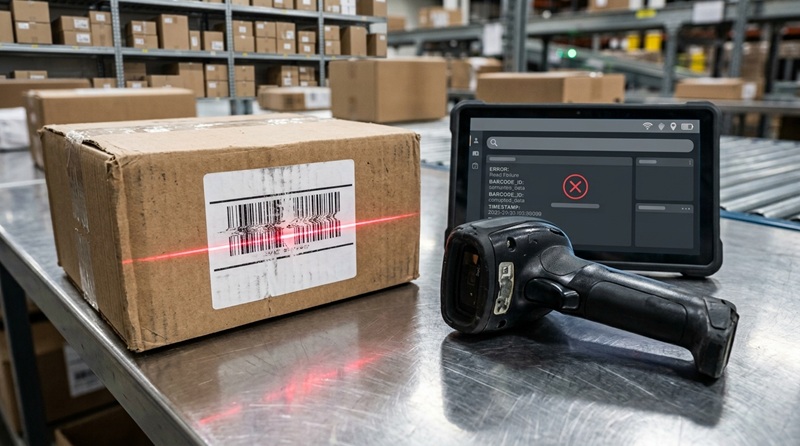
If your tracking number says “not found,” “invalid,” “not available,” or shows no results, it does not automatically mean that your package is lost or that the seller is fraudulent. The most common reasons are a typing mistake, a shipping label that was created before the carrier received the parcel, a carrier mismatch, or a delay before the first scan appears. Start by copying the number directly from the shipping confirmation, then track the package with TrackPkgs to check whether the carrier can be detected automatically.
A tracking number is an identifier used by a carrier, postal operator, marketplace, or logistics provider to associate scans and delivery events with a shipment. It is not always available as soon as an order is placed. In many ecommerce workflows, a seller can create a label and send an automated “shipped” email before the parcel has been collected, accepted at a drop-off point, or scanned into the carrier’s network.
What “tracking number not found” usually means
A “not found” result means the tracking system cannot currently match the code you entered to usable tracking data. The message itself does not identify one single problem. Different carriers use different wording, and the result can change after the first physical scan is recorded.
| What you see | What it may mean | Best next action |
|---|---|---|
| Tracking number not found | The code may be incorrect, too new, assigned to another carrier, or not yet active in the carrier’s public system. | Verify the exact code, identify the carrier, and check again after the shipment has had time to receive an acceptance scan. |
| Label created or pre-shipment | The sender created shipping information, but the carrier may not yet have possession of the parcel. | Ask the sender to confirm the parcel was handed to the carrier or dropped off. |
| No updates available | The carrier recognizes the number but has not published a movement scan, or there is a temporary data delay. | Check the tracking history later and compare it with the seller’s dispatch date. |
| Invalid tracking number | A digit, letter, prefix, suffix, space, or punctuation mark may be wrong. It may also be an order number rather than a shipment number. | Copy the number from the original source instead of typing it manually. |
| Number works on one site but not another | The parcel may be handled by a partner carrier, a destination postal operator, or a carrier with limited data sharing. | Use the carrier named in the order record and check for a second or replacement tracking number. |
Do not assume that a number is invalid simply because its format looks unfamiliar. International postal operators, freight companies, regional couriers, consolidators, and marketplace logistics services can all use different identifier formats. Some numbers are letters and digits; others are digits only. A format can suggest a likely carrier, but it is not proof of who currently controls the shipment.
Common reasons a tracking number is not found
The number was entered incorrectly
A single misplaced character can prevent a match. This is especially common when a number contains similar-looking characters, such as the letter O and zero, the letter I and one, or the letter S and five. Copy and paste the code from the seller’s order page, dispatch email, carrier app, or printed receipt. Remove quotation marks, surrounding text, and accidental spaces before and after the number.
Also confirm that you are not entering an order ID, invoice number, payment reference, item SKU, return authorization, warehouse reference, or marketplace confirmation number. These numbers can look official but may have no connection to the carrier’s tracking system. The tracking number is normally described as a shipment, parcel, consignment, waybill, airway bill, or tracking ID.
The shipping label exists, but the parcel has not been scanned
Creating a shipping label and physically handing over a package are separate events. A merchant may print a label during order fulfillment, schedule a collection, place parcels in an outgoing container, or prepare them for a later pickup. Until a carrier scans the package, public tracking may show nothing, a label-created message, or an unavailable result.
This can happen with any service, including postal shipments, courier collections, marketplace fulfilment, and international consolidated shipping. It is more likely around weekends, public holidays, warehouse backlogs, or when a seller has generated labels in advance. The appropriate question for the seller is not only “Why does tracking not work?” Ask whether the parcel was physically accepted by the carrier and whether they can confirm the handover date.
The wrong carrier is being checked
Many sellers use shipping software, third-party logistics providers, or partner networks. The name shown at checkout may not be the company that performs the first scan or final delivery. A parcel may begin with a consolidator, move through an export carrier, and then be transferred to a postal operator or local courier in the destination country.
Use the shipping confirmation to look for a carrier name, service name, tracking link, or separate “last-mile” number. A universal tracker can help detect a number, but the original merchant record remains important when a shipment has multiple legs. TrackPkgs supports carrier detection across a large network of couriers and postal services, making it useful when the delivery carrier is unclear. TrackPkgs’ package tracking FAQ also explains why international shipments may have gaps between scans.
The parcel is moving internationally
International shipments often have longer intervals between scans than domestic parcels. An export scan does not always appear immediately in the destination carrier’s system. The parcel may be in a container, awaiting transport, being processed at an airport or port, transferred between logistics partners, or undergoing import processing before a new public event appears.
A missing result can also occur when the sender gives you an origin-carrier number but the destination carrier assigns another number later. Check the merchant’s order page for updates, messages, or an alternate code. Do not repeatedly submit the same tracking number to different unrelated websites if the seller has not confirmed the carrier; instead, first establish which company accepted the parcel.
The seller provided an old, reused, or incorrect number
Sometimes a seller accidentally attaches the wrong label to an order record, sends a previous customer’s tracking number, or provides a number that belongs to a return. In less reliable sales channels, a number may have been supplied before the item was actually prepared for dispatch. A tracking page that shows delivery to a different city, country, or date than your order is a warning sign, not proof that your order was delivered.
Compare the carrier’s tracking details with the destination, shipment date, service, and item you ordered. Do not share your full shipping address, payment-card details, account password, or one-time verification codes with anyone who contacts you about a tracking issue. Legitimate carriers and marketplaces have their own official support paths.
The carrier has a temporary system or data-sharing problem
Carrier tracking systems can experience delays in scan publication, data transfer, maintenance, or partner-network synchronization. A temporary issue is possible, particularly if the number previously worked and suddenly returns no result. Keep a screenshot of the latest visible status and check the carrier’s official tracking page as well as the merchant’s order record.
A temporary tracking display issue is different from a parcel being lost. You cannot diagnose loss from one unavailable lookup. The useful evidence is the last confirmed scan, the date of physical handover, the service used, the destination, and whether the carrier recognizes the shipment at all.
What to do when your tracking number is not found
- Copy the number again from the original source. Use the dispatch email, retailer order page, carrier receipt, or label. Do not rely on a manually typed version or a screenshot that may be hard to read.
- Confirm it is a tracking number. Look for labels such as tracking ID, parcel number, waybill, consignment number, or shipment number. Do not confuse it with an order or payment reference.
- Check the seller’s stated dispatch date. There is a meaningful difference between an order placed today, a label created today, and a parcel accepted by a carrier several days ago.
- Track it in one reliable place. Enter the code into the TrackPkgs universal package tracker to detect the carrier and review any available shipment history.
- Check the official carrier page once the carrier is known. Official tracking can sometimes show service-specific details or account options that a general tracker cannot display.
- Ask the sender for confirmation of handover. Request the shipment date, carrier name, service, and confirmation that the parcel was accepted or collected. Keep the message concise and factual.
- Watch for a replacement number. International or partner-carrier shipments may receive a destination tracking code after transfer.
- Escalate through the correct party if the issue persists. The seller is usually the first contact for an order you did not ship yourself; the carrier is appropriate when it recognizes the parcel and its tracking history shows a transport problem.
When to wait and when to take action
Waiting can be reasonable when the merchant has only recently created a label or the parcel has just been handed to the carrier. The first scan may not be recorded at the exact moment the package enters a vehicle, drop-off point, warehouse, or postal network. A short absence of tracking data is therefore not enough by itself to conclude that something has gone wrong.
Take action sooner when the seller says the parcel was shipped but cannot identify the carrier, will not confirm the handover, supplied a code that clearly belongs to another destination, or repeatedly sends inconsistent tracking information. Act promptly if your marketplace or payment method has a buyer-protection deadline. Do not wait until a dispute, return, or claim deadline has expired merely because the seller says tracking will update “soon.”
| Situation | Reasonable next move |
|---|---|
| Order was placed recently and the seller created a label | Verify the number and allow time for the carrier’s first physical scan. Check whether the seller gave a realistic dispatch date. |
| Carrier is known, but there is no first scan | Ask the sender to confirm acceptance or pickup. The sender may have receipt or manifest information that the recipient cannot access. |
| Tracking shows a different location or an unrelated delivery date | Contact the seller or marketplace immediately and document the mismatch with screenshots. |
| International shipment has an export scan but no destination result | Check for a new destination-carrier number and review the carrier’s official tracking. Avoid assuming customs has seized the parcel without evidence. |
| Expected delivery or buyer-protection deadline is approaching | Contact the seller through the original platform and follow its official dispute or support process before the deadline. |
How to find a missing tracking number
If you do not have the number at all, start with the merchant or marketplace account used for the purchase. Look in order details, shipment details, dispatch notifications, account messages, and downloadable invoices. Search your email for the store name plus terms such as “shipped,” “tracking,” “dispatch,” “parcel,” or “order update.” Check spam and promotional folders as well.
If you are the sender, inspect the postage receipt, label purchase record, carrier account, and email confirmation. USPS states that tracking information may be found on shipping or sales receipts, an online-label record, a retailer shipping confirmation, and the peel-off portion of a tracking label. USPS Tracking provides official guidance for locating and entering USPS tracking numbers.
If you are receiving a UPS parcel and do not have the number, contact the sender rather than guessing based on a format. UPS notes that many of its tracking numbers begin with “1Z,” but formats can vary, and the sender is the appropriate source when the recipient has not received a valid tracking code. For a confirmed UPS shipment, use the dedicated UPS tracking page on TrackPkgs to review its available updates.
How to identify the carrier safely
Carrier identification can help, but it should not replace verification. A number format may resemble a particular postal operator or courier, yet partner services and resellers sometimes use numbers that are recognized only after the parcel is transferred. Start with the carrier named by the seller. If the seller did not name one, use a universal tracking lookup and compare the result against the shipment information in your order.
Do not use links from unexpected text messages, social-media advertisements, or emails that demand a small “redelivery” fee. A package scam often uses urgency and a tracking-like message to direct you to a page designed to collect payment or personal information. Open the retailer, marketplace, carrier, or TrackPkgs site yourself instead of following an unverified message link.
When to contact the seller, carrier, marketplace, or payment provider
Contact the seller first
For most online purchases, the seller is your first practical contact because they selected the service, created the label, and may hold the shipment receipt or commercial account details. Ask them to confirm the carrier, the exact tracking number, the dispatch date, and whether the parcel was accepted by the carrier. If the tracking number was incorrect, request a corrected number in writing through the marketplace or store’s message system.
Contact the carrier when it recognizes the shipment
Contact the carrier after you have a confirmed number and the carrier’s own tracking system recognizes it, especially if there is a specific exception, a prolonged lack of movement after acceptance, or an address-related problem. The carrier may require the sender to open certain investigations or claims, particularly where the sender purchased the shipping service. Ask what information they need rather than assuming they can change delivery details or disclose account-specific information to the recipient.
For UPS shipments, use UPS tracking support for official tracking, delivery-management, and claim-related options that may apply to the service and country involved.
Contact the marketplace or payment provider when a transaction problem remains unresolved
Use the marketplace’s official support or dispute process when the seller does not provide a valid shipment record, the tracking appears unrelated to your order, or the item does not arrive within the platform’s stated protection period. Keep copies of the order confirmation, messages, tracking screenshots, and any seller promises about dispatch. Follow the platform’s specific process and deadlines; policies vary by marketplace, country, payment method, product category, and transaction status.
A payment provider may have a dispute process, but it is not a substitute for contacting the merchant or following the marketplace process where one applies. Never claim that an item was unauthorized if you placed the order. Describe the issue accurately: for example, “tracking number not recognized,” “seller could not confirm dispatch,” or “tracking details do not match my destination.”
Common mistakes to avoid
- Entering an order number instead of a carrier tracking number.
- Typing a long code manually when a copy-and-paste source is available.
- Assuming label creation proves that the carrier has received the parcel.
- Assuming a blank tracking result proves a package is lost.
- Assuming a tracking-number format always identifies the current delivery carrier.
- Ignoring the seller’s shipment date, buyer-protection deadline, or marketplace messages.
- Clicking delivery links in unexpected messages instead of visiting the carrier or merchant directly.
- Sharing passwords, payment details, or verification codes to “activate” tracking or arrange redelivery.
- Opening a carrier claim before confirming whether the sender must initiate it under the applicable service terms.
Frequently asked questions
Why does my tracking number say not found after the seller marked my order as shipped?
The seller may have created a label before the parcel received its first carrier scan. Check that the number is correct, ask the seller to confirm physical handover, and watch for an initial acceptance event. If the seller cannot identify the carrier or provide consistent shipment details, contact the marketplace or store through its official support channel.
Can a tracking number be real but not work yet?
Yes. A valid label number may not show public results until the carrier accepts and scans the parcel, or until tracking data is transferred from a shipping partner. The result depends on the carrier, service, handover process, and whether the shipment is domestic or international.
Does “tracking number not found” mean I was scammed?
No. It can be caused by ordinary label, scan, or carrier-identification issues. However, it is a warning sign if the seller will not confirm dispatch, gives conflicting information, supplies tracking tied to another destination, or asks you to pay through an unexpected link. Preserve your records and use the marketplace’s or payment provider’s official process if necessary.
Should I contact customs if international tracking is not found?
Usually not as a first step. If the carrier has not yet recognized the tracking number, customs may not have received the parcel. First confirm the carrier and physical dispatch with the seller. Contact the carrier or the relevant official customs authority only when the shipment record specifically indicates an import, documentation, duty, or clearance issue.
Can I track a package without knowing the carrier?
Often, yes. Enter the number into a universal tracker that can attempt carrier detection, then compare the result with the details in your order confirmation. If no carrier is detected, ask the sender for the shipping company and a corrected number rather than relying only on format guesses.
Final checklist
A tracking number that is not found is usually a verification or timing problem first, not a final conclusion about the parcel. Copy the code from the original record, confirm that it is a shipment number, check which carrier actually accepted the parcel, and review the dispatch date. Use TrackPkgs package tracking to check for automatic carrier detection and available events, then contact the seller if the parcel has not been confirmed as handed over or the tracking details do not match your order.
If a carrier recognizes the shipment, use its official support channel for service-specific help. If the seller cannot provide valid shipment information, document the issue and follow the marketplace or payment provider’s official process before any relevant deadline. This approach helps you act on evidence rather than assuming that a missing tracking result means the package has disappeared.
Track Any International Package Now
Universal real-time tracking across 1,000+ couriers and postal networks worldwide. 100% free with no sign-up required.
Track on Universal Tracker